Start here
FlashGo Setup & How-To Guides
Install FlashGo, choose it in Android settings, start a location or route, and return to real GPS.
Open the first guide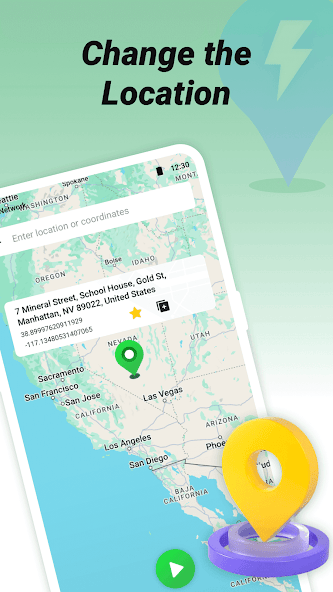
How to Use FlashGo on Android
Set up FlashGo, change your Android GPS location, create a route and return to your real position.
How to Select a Mock Location App on Android
Find the Select mock location app setting and choose FlashGo on current Android devices.
Open guide03 · GuidesEnable Developer Options for Mock Location
Enable Android Developer Options and reach the mock location app setting safely.
Open guide04 · GuidesTurn Off Mock Location and Restore Real GPS
Stop a mock GPS session, deselect the provider and restore real Android location.
Open guide05 · GuidesFake GPS Without Root on Android
Use Android mock location without rooting your phone, with the standard Developer Options workflow.
Open guide06 · GuidesHow to Set Mock Location on Samsung Galaxy
Enable Developer Options, select FlashGo as the mock location app and keep it active on Samsung Galaxy phones with One UI.
Open guide07 · GuidesHow to Set Mock Location on Xiaomi, Redmi and POCO
Find Developer Options in Xiaomi HyperOS or MIUI, select FlashGo and keep a mock GPS route running reliably.
Open guide08 · GuidesHow to Set Mock Location on Google Pixel
Enable Android Developer Options on a Google Pixel, select FlashGo and verify a mock GPS point or route.
Open guide09 · GuidesHow to Set Mock Location on OnePlus
Enable Developer Options in OxygenOS, choose FlashGo as the mock location app and fix background route stops.
Open guide10 · GuidesHow to Set Mock Location on OPPO and Realme
Find Developer Options in ColorOS or realme UI, select FlashGo and troubleshoot background limits.
Open guide11 · GuidesHow to Set Mock Location on vivo and iQOO
Enable Developer Options on vivo or iQOO, select FlashGo and test a location without turning on unrelated settings.
Open guide12 · GuidesHow to Set Mock Location on Motorola
Enable Developer Options on a Motorola phone, select FlashGo and restore the real GPS position after testing.
Open guideFlashGo for Android